
Work Time Calculator
Add up your work time for the whole week in one place. This work time calculator takes each day's start and end times, removes your unpaid lunch break, applies the rounding rule your workplace uses, and gives you the week in hours and minutes and in decimal hours - with gross pay if you add your rate. It is the quickest way to calculate my work hours before a paycheck arrives.
| Day | Start | End | Break (min) | Worked |
|---|---|---|---|---|
| Monday | - | |||
| Tuesday | - | |||
| Wednesday | - | |||
| Thursday | - | |||
| Friday | - | |||
| Saturday | - | |||
| Sunday | - |
Gross pay at your rate: - | Your entries save automatically on this device only.
How this work time calculator works
For each day, the calculator takes the span between your start and end times, subtracts the unpaid break you entered, and rounds the result with the rule you picked - the same three steps a time clock and a payroll office follow. The days then add into a weekly total, shown both as hours and minutes and as decimal hours, because decimal is the format pay is actually calculated in. If your shift runs past midnight, the calculator counts it into the next day automatically, so night shifts need no special handling.
If your hours are the same most days, fill in Monday and press "Copy Monday to all days", then adjust the days that differ. Your entries save in your browser as you type, so you can fill the week in as you go and come back on Friday to a finished total.

What counts as work time
Work time is the time you are on duty and working, not simply the time you are inside the building. The unpaid part for most hourly workers is the meal break. Under US federal rules, a meal period of 30 minutes or more can be unpaid when you are completely free from work during it - free to leave, eat and not answer questions. Short rest breaks, roughly 5 to 20 minutes, are normally paid and should not be entered in the break box. State rules and company policies can be more generous, and a few states require paid meal breaks, so treat your own employer's policy as the final word. Our guide on how to calculate work time with a lunch break goes through the common cases in detail.
Rounding, and the 7-minute rule
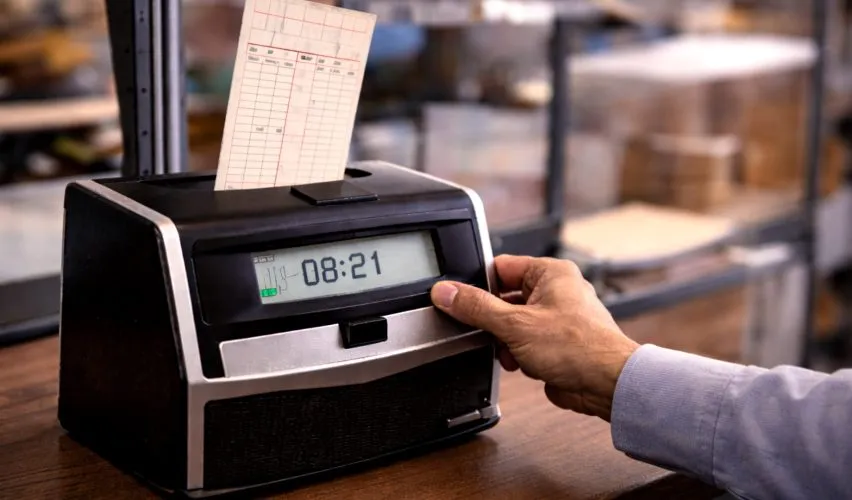
Many time clocks do not pay the exact minute; they round each day to the nearest 5, 6, 10 or 15 minutes. The best known version is 15-minute rounding with the 7-minute rule: punches within 7 minutes after a quarter hour round down, and 8 minutes or later round up. So 8:07 becomes 8:00 and 8:08 becomes 8:15. Rounding has to be neutral over time - a system that only ever rounds in the employer's favor is not allowed - but at the level of a single day it can add or trim a few minutes either way. Set the rounding above to match your workplace and the totals here will match your time card. The full explanation is in our guide to work time rounding and the 7-minute rule.
A worked week
Take a standard week: 9:00 AM to 5:30 PM, Monday to Friday, with a 30-minute unpaid lunch each day and no rounding. Each day spans 8 hours 30 minutes, minus 30 minutes of lunch, which is 8 hours worked. Five days gives a 40-hour week, or 40.00 in decimal. At $18.50 an hour, that week pays $740.00 before tax. Now suppose Wednesday ran late and ended at 6:15 PM. That day becomes 8 hours 45 minutes worked, the week becomes 40.75 hours, and the extra 0.75 hours is overtime in most US workplaces - which is exactly the point where the time card calculator takes over, because it splits regular and overtime hours and prices them at different rates.
Part-time, four-day and irregular weeks
Not every week is five identical days, and this calculator does not assume one. Leave rest days blank and they count as zero. A four-day week of 10-hour days (say 7:00 AM to 5:30 PM with a 30-minute lunch) totals the same 40 hours as a standard week, reached in bigger daily blocks. A part-time pattern of three 6-hour days totals 18 hours, and the decimal figure, 18.00, is the number a payroll system wants. Rotating schedules, where this week is days and next week is nights, are handled the same way: enter what you actually worked, including the overnight rows, and the week adds up the same. The copy button only helps when days repeat; irregular weeks are exactly what the individual rows are for.
When a week crosses 40 hours
The weekly total on this page is also the number that decides overtime for most US hourly workers. A week of 38 hours plus a 4-hour Saturday shift is a 42-hour week, and in most workplaces the last 2 of those hours are overtime hours, paid at one and a half times the rate. This page shows you the total and the straight-time value of the week; it deliberately does not split the pay, because the split belongs on a proper card. When your total here passes 40, take the same times to the time card calculator, which separates the regular and overtime hours and prices each part correctly. The US Department of Labor's overtime pages set out the federal rule in full.
Check this total against your pay stub
- Make sure both cover the same week. A pay period that starts mid-week is the most common reason two honest totals disagree.
- Match the rounding. If your stub shows quarter hours everywhere, set 15-minute rounding here before comparing.
- Compare the decimal figures, not the clock figures. Stubs print decimal hours, so 38.50 there should equal 38.50 here.
- If the numbers still differ, compare day by day. One wrong day is a typo; a small difference every day is a break or rounding policy, and it is worth asking about politely with your day-by-day figures in hand.
Keep your own record, even if your employer keeps one too
Your employer's time clock is the official record, but it is not the only one worth having. A simple personal log - the date, when you started, when you finished, how long lunch was, and anything unusual about the day - takes twenty seconds to keep and settles most questions calmly if a paycheck ever looks wrong. People discover short pay weeks or months later, and by then memories are guesses while a log is evidence. The week you build on this page is a good start, because it already lives on your device and rebuilds itself when you return. Saving a screenshot of the finished week, or copying the same figures into a notebook or a notes app, gives you a copy that survives even if you change phones or clear your browser.
Frequently asked questions
How do I calculate my work time for the whole week?
Enter each day's start time, end time and unpaid break. The calculator totals each day after your rounding rule, then adds the days into a weekly total shown in hours and minutes and in decimal hours. The copy button fills the whole week from your first day if your shifts are the same.
Should my lunch break be taken off my work time?
A genuine meal break of 30 minutes or more, where you are fully free from work, is usually unpaid under US federal rules, so it comes off your work time. Short rest breaks of about 5 to 20 minutes are usually paid and should stay in. Rules vary by state and employer, so check your own policy. Enter only the unpaid break length in the break box.
What is the 7-minute rule for work time?
When employers round to the nearest 15 minutes, a punch up to 7 minutes past the quarter hour rounds down and 8 minutes or more rounds up. Clocking in at 8:07 rounds to 8:00, while 8:08 rounds to 8:15. Rounding is legal in the US when it is neutral and does not always favor the employer. This calculator can round to the nearest 5, 6, 10 or 15 minutes, or not at all.
What does the rounding setting change?
It rounds each day's worked minutes to the nearest block you choose, the same way a time clock does. With 15-minute rounding, a day of 7 hours 53 minutes becomes 8 hours 0 minutes, and 7 hours 52 minutes becomes 7 hours 45 minutes.
Can the work time calculator show my gross pay?
Yes. Enter your hourly rate and the calculator multiplies your total hours by that rate. Overtime is not split out on this page; for a week with overtime past 40 hours, use the time card calculator, which separates regular and overtime hours and pay.
Are my times saved anywhere?
Your entries are saved only in your own browser on this device, so the week is still here when you come back. Nothing is sent to a server, and clearing your browser data clears the saved times.

Related calculators
Time Calculator
Add and subtract days, hours, minutes and seconds, add time to a date, or type a full time expression.
Open the time calculatorHours Calculator
The hours between two times for a single shift, with a break taken off and decimal hours for payroll.
Open the hours calculatorTime Card Calculator
A full weekly or biweekly time card with lunch punches, overtime, gross pay and a printable report.
Open the time card calculator